


Year end compliance: Activate TaxSlips Addon
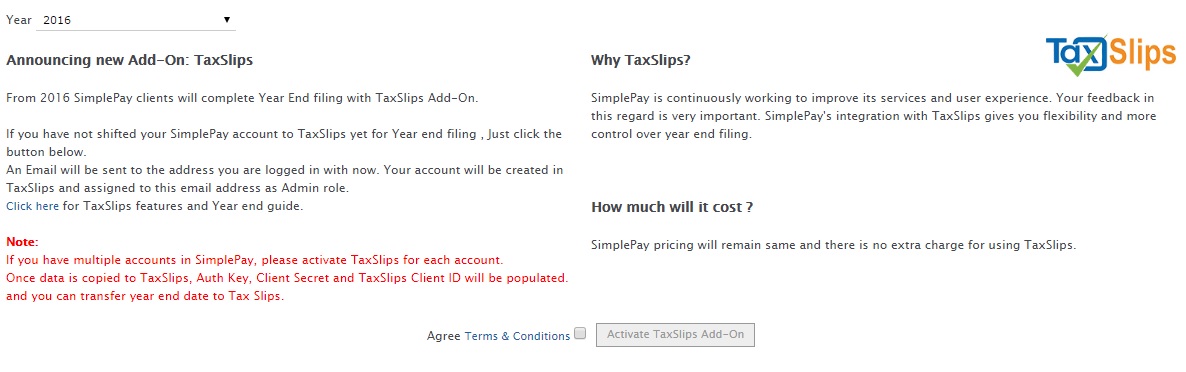
From 2016 SimplePay clients will complete Year End filing with TaxSlips Add-On.
All T4, T4A and RL-1 screens in Compliance menu have been replaced with this add-on
In this guide you will complete the following steps:
All T4, T4A and RL-1 screens in Compliance menu have been replaced with this add-on
In this guide you will complete the following steps:
- Activate TaxSlips Add-on
- Transfer Year End data to TaxSlips
-
Activate TaxSlips Add-on
You can activate your account on TaxSlips in just couple of Clicks
- Load any T4, T4A, RL-1 screen and select year as 2016
- You will be redirected to TaxSlips add-on screen
- Agree terms and conditions and press Activate TaxSlips Add-On button, and your account will be activated on TaxSlips
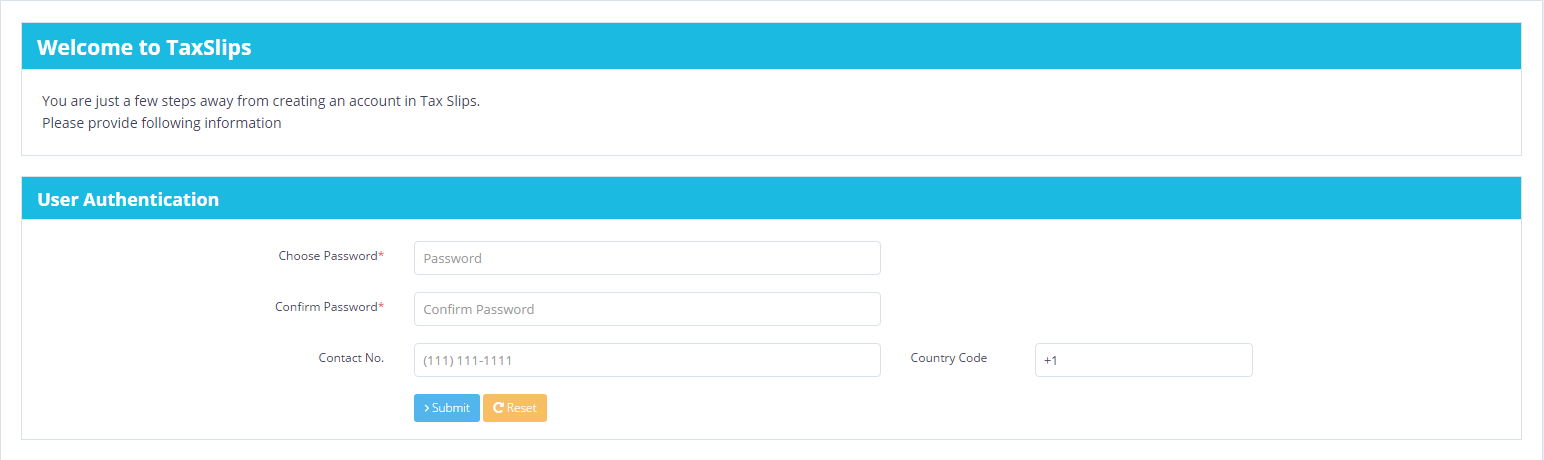
- You will receive an email with a link to set your account password, phone number and SIN.
- Request will be sent to TaxSlips administrator to verify and Activate your account
- Once TaxSlips administrator activates your account, you will receive Account Activation email.
- Once you received activation email you can login to your TaxSlips account at TaxSlips
- You can view your company on the dashboard.
TIP:
-
If you have multiple companies under your SimplePay account, you will have to press
Activate TaxSlips Add-On button in each company, and it will be linked to your email address.
-
Transfer Year End data to TaxSlips
- Once you have activated your account on TaxSlips, API keys will be populated and you can export your year end data to TaxSlips
- In SimplePay, Export Data button will be enabled in TaxSlips add-on screen
- You must unmask your sensitive data (from lock icon in menu) and then you can export data.
- Make sure all data is complete in SimplePay i.e. payroll, remittance and year to date data if required.
- Contact/Issuer & Owner should be created in SimplePay > Company Setup screen before data export.
- Every time you export data in same account, it will overwrite data in TaxSlips.
-
Once data is transferred in TaxSlips, you can view and make changes and file from TaxSlips
- Employees will be exported
- T4, RL-1 and T4A data will be exported

T4 Filing Guide
RL-1 Filing Guide